For businesses on Webex Calling

Every call accounted for — and in your CRM.

Call Insights turns your Webex Calling history and Webex's AI call summaries into reporting your managers can act on, notes in your CRM nobody had to type, and the caller's record on screen before you answer.
  • Read-only access to Webex
  • Works with Zoho CRM
  • Hosted in the UK
  • Set up for you by ReadyTec
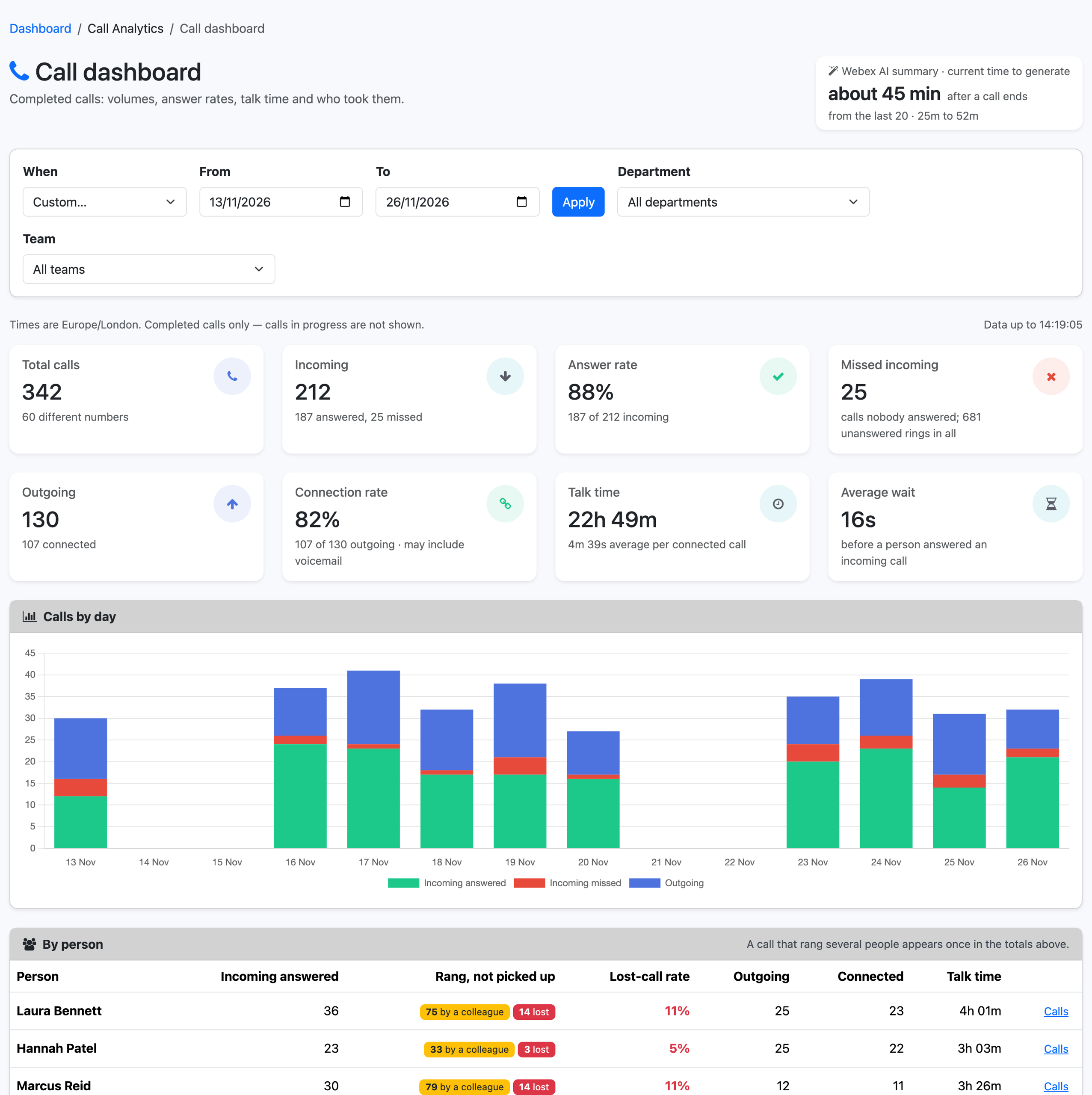
The Call Insights call dashboard: two weeks of calls with totals, answer rate, missed calls, a chart of calls by day and a table by person

Your phone system knows a lot. Your team sees very little of it.

Calls are missed and never returned. Conversations happen and nothing reaches the CRM. Managers ask who answered what, and nobody can say. Call Insights puts that right without changing how anybody makes a call.

No customer left unanswered

Every missed call is listed until somebody rings back, against a target you set. A call a colleague picked up is never counted as lost.

Notes in the CRM, without typing

Webex's AI summary of each call is written as a note on the matching contact or lead. Your people talk to customers; the record keeps itself.

Know who it is before you answer

The caller's name, company and CRM record appear in the Webex app while the phone is still ringing.

What you get

One place for every call your business makes and takes

Call reporting that is fair to your team

Dashboards for the business, each department, team, person and call queue — with lost calls, not misleading pick-up rates.

Reporting

Missed calls and callbacks

One list of customers still waiting for a call back, how long they have waited, and who is dealing with each.

Callbacks

AI call summaries

The summaries Webex's AI Assistant writes, on each call's page, with your own corrections to names it gets wrong.

Summaries

Notes written to your CRM

Each call matched to the right contact or lead, and its summary added as a note — when you switch it on.

CRM notes

Caller pop in the Webex app

Who is calling, from your CRM, before you answer — and their record open as you pick up.

Caller pop

Secure and in your control

Read-only in Webex, nothing written to your CRM until you say so, two-step sign-in for everyone.

Security

How it starts

Running in an afternoon. Nothing to install on anyone's computer.

  1. Connect Webex

    A Webex administrator approves read-only access to call history, users, queues and recordings. Calls start arriving within minutes.

  2. Connect your CRM

    A CRM administrator approves access, and calls are matched to your contacts, leads and accounts.

  3. Set up your teams

    Group your people into departments and teams, set your working hours and callback target, and invite your managers.

  4. Switch on what you want

    Notes to the CRM and the caller pop stay off until you turn them on — after trying them on test records if you like.

Caller pop for Webex

See the customer before you say hello

A panel in the Webex app looks every incoming call up in your CRM. A notification names the caller while it rings, and their record can open in your browser as you answer.

How the caller pop works
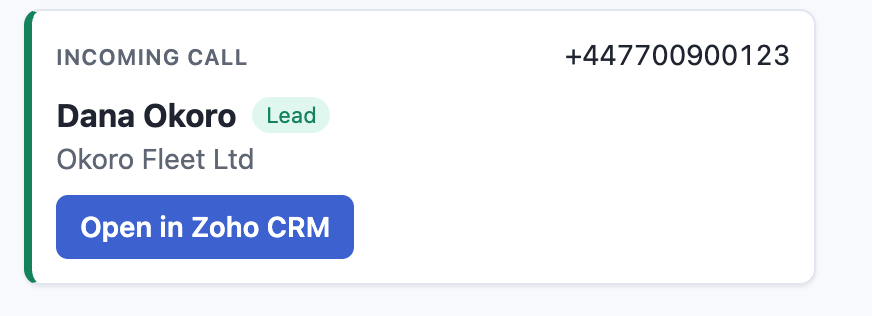
    The Call Insights panel in Webex showing an incoming call from Dana Okoro of Okoro Fleet Ltd, a lead, with a button to open the record in Zoho CRM

    See your own calls in Call Insights

    A 30-minute demo, then we connect Webex and your CRM with you. Most organisations see their first reports the same day.