Caller pop for Webex

See the customer before you say hello

Call Insights adds a panel to the Webex app. When a call rings, it looks the number up in your CRM and tells you who it is — and can open their record as you answer.

Webex desktop app for Windows and Mac.
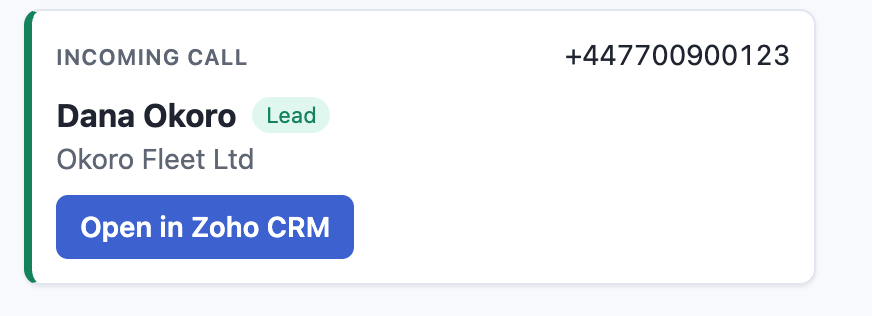
    The Call Insights panel in Webex showing an incoming call from Dana Okoro of Okoro Fleet Ltd, a lead, with a button to open the record in Zoho CRM

    On every call

    From ring to record in three moments

    1. It rings

      The number is looked up in your CRM straight away. A notification names the caller — even when Webex is behind other windows.

    2. You answer

      If you like, their contact or lead opens in your browser as you pick up, ready before you've said hello.

    3. Afterwards

      The last few calls stay listed in the panel, so a record you didn't open is still one click away.

    Only what helps, only for customers

    • Colleagues ringing each other are ignored; only outside callers are looked up.
    • A caller who is both a contact and a lead shows as both.
    • Where several records share a number, they are all listed — it never picks one for you.
    • Outgoing calls are looked up too, so you can check you're calling the right person.
    • No extra sign-in: Webex vouches for who is using it, and it only ever reads the CRM.
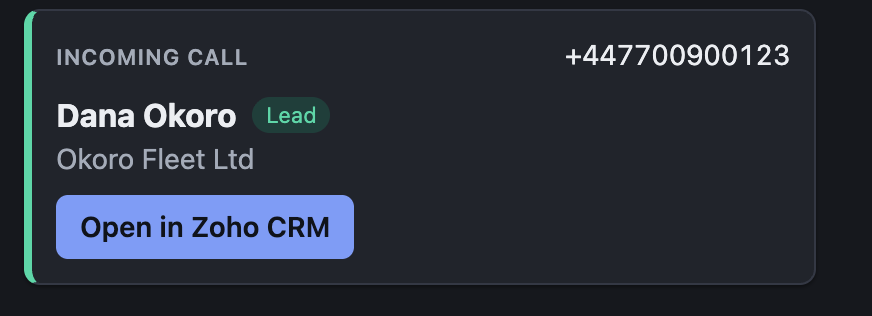
    The same caller card in the Webex app dark theme
    Follows the Webex app's light or dark theme.

    Switched on by your administrator

    Your Webex administrator approves the app in Control Hub for everybody or for chosen groups, and your Call Insights administrator decides whether records open on answer. Anyone whose calls Call Insights tracks gets it — they don't need an account of their own.

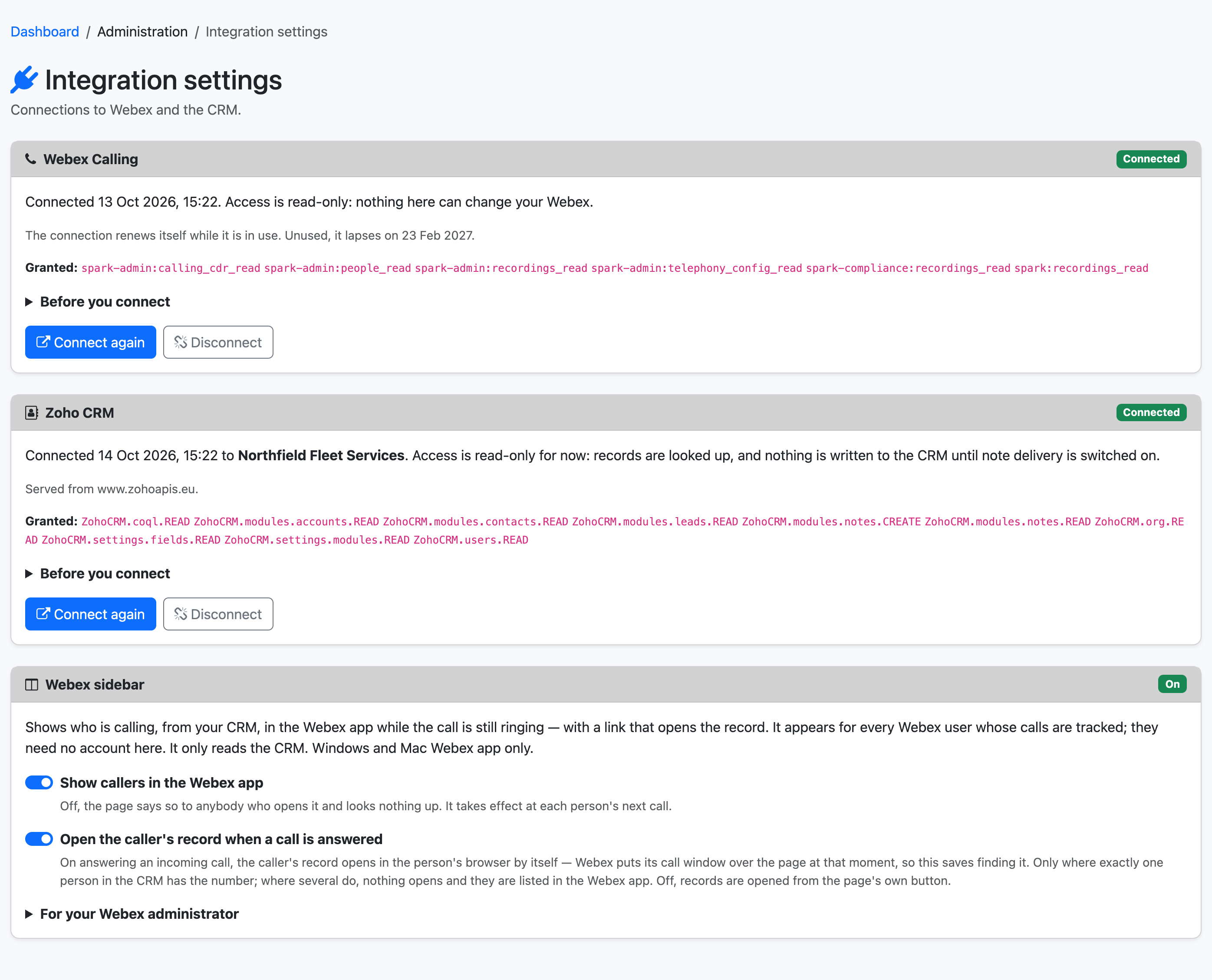
      Integration settings in Call Insights: Webex Calling and Zoho CRM connected, and the Webex sidebar switched on with records opening when a call is answered

      Put a name to every call

      See the caller pop working with your own Webex and CRM in a short demo.